
Name-Based Case Searches
The official Grainger County docket index posts downloadable files for Circuit Court Criminal, General Sessions Criminal, and General Sessions Civil. There is no public name field. Grab the newest PDF that fits your case. Note its date, and search inside it with your viewer's find tool. Take care, because a name can be misspelled, shortened, or left out of that snapshot.
- Identify Circuit, General Sessions, Juvenile, Chancery, or municipal court.
- Choose criminal, civil, or traffic and download the newest matching report.
- Record the package update and report-generated timestamp.
- Use the PDF viewer to find a known neutral term, then compare each possible match.
- Contact the proper clerk if no reliable entry appears.
The county page offers download buttons rather than database search fields.
| Field Label | Type | Required | Notes |
|---|---|---|---|
| Docket choice | Document link | Yes | Select Circuit Criminal, Sessions Criminal, or Sessions Civil. |
| Download | Button | Yes | Retrieves the current report snapshot. |
| Name | Not provided | No | Use the PDF viewer only after download. |
| Date or court filter | Not provided | No | Read report metadata and headings. |
Grainger PDFs Need Date Checks
Grainger's public docket is a dated snapshot, not a live feed. The General Sessions criminal package was marked last updated August 31, 2026. It carries a generated time from that same morning. The civil package carried the same update date and a later morning generation time. That metadata only tells you when the file was published. It cannot prove that a later continuance, same-day filing, sealed action, or clerk correction made it in.
Best practice: Save the file URL, package update date, generated time, court name, selection range, and sort order with each Grainger County docket search.
A civil report may cover only the range and type chosen for it. A criminal report is hearing oriented, not a full action history. When status truly matters, ask the clerk for the current docket sheet or the underlying order instead of stretching a snapshot past what it shows.
Case Number Searches
A case number beats a name every time. The General Sessions reports use a local pattern. Criminal cases look like 29GS1-YYYY-CR-NNN, and civil ones use 29GS1-YYYY-CV-NNN. The prefix marks the local court. YYYY is the year, CR or CV signals the case type, and the ending is the sequence.
Keep the punctuation and any leading zeroes exactly as written. Search the full identifier first. Then try a distinctive fragment if the viewer will not match it. Put the complete number in any clerk request. Never build a case number from a calendar category, because the month grid holds no case IDs. The month grid holds no case IDs.
Older records may follow a different format. No clerk-approved public code list is posted, so confirm unfamiliar prefixes with the Circuit Court Clerk. Ask the Circuit Court Clerk about unfamiliar prefixes.
Route Grainger Docket Searches Correctly
No single Grainger office holds every docket. Circuit Court Clerk Sherry Clifton is the main holder. She keeps Circuit Court records, the General Sessions criminal and civil records, and Juvenile Court records within applicable limits. Vickie B. Greenlee, the Clerk and Master, holds the Chancery side. The municipal clerks in Bean Station, Blaine, and Rutledge keep their own city court records. The County Clerk handles administrative work: vehicle, license, marriage, title, business, and commission records.
| Matter | First custodian | Public starting point |
|---|---|---|
| Circuit or General Sessions | Circuit Court Clerk | County docket PDFs, then clerk |
| Juvenile | Circuit/Juvenile clerk | Ask about authorization and access limits |
| Chancery | Clerk and Master | Direct request; no local public index confirmed |
| Municipal | City court clerk | Bean Station, Blaine, or Rutledge contact |
| Appeal | Appellate clerk | Public Case History search |
Pick the right office from the start. That habit keeps you from mistaking a payment page for a case search or assuming a county PDF covers a city citation.
Case Search Results Explained
What you get depends on the report. A criminal line can show date and time, case ID, officer, case style, party, attorney, offense description, arrest date, hearing type, and a continuation mark. A civil line can show date and time, judge, court, case ID, style, subtype, and party-role labels. Neither report gives a full chronology. You will find no linked pleadings or judgment amount. No payment balance or disposition field appears either.
| Case Number | The court identifier, such as 29GS1-YYYY-CV-NNN. |
|---|---|
| Case Style | The caption naming the sides; it is not an outcome. |
| Case Type | A broad code or subtype, such as criminal or Contract/Debt. |
| Setting | The scheduled date, time, and hearing label. |
| Status | No complete status field was visible; confirm disposition with the clerk or file. |
An offense line is an allegation, not proof of guilt. "Cont'd" means the matter carried forward or was continued. A judge's name marks the setting or report block, not a ruling in every case listed.
Grainger Search and Case Finder
Tennessee Case Finder is the statewide inquiry system that several Circuit Court Clerk offices take part in. Getting in takes a username and password. Signing up means supplying a name, mailing address, city, state, ZIP, email, a password, a password confirmation, and an agreement to the terms. The service does not state which courts it covers for Grainger County. It also stays quiet on fees and refresh timing. Check with the Grainger County Circuit Court Clerk before relying on it.
Anyone who wants an account can start at the Case Finder subscription page. It lays out the signup route for new users.
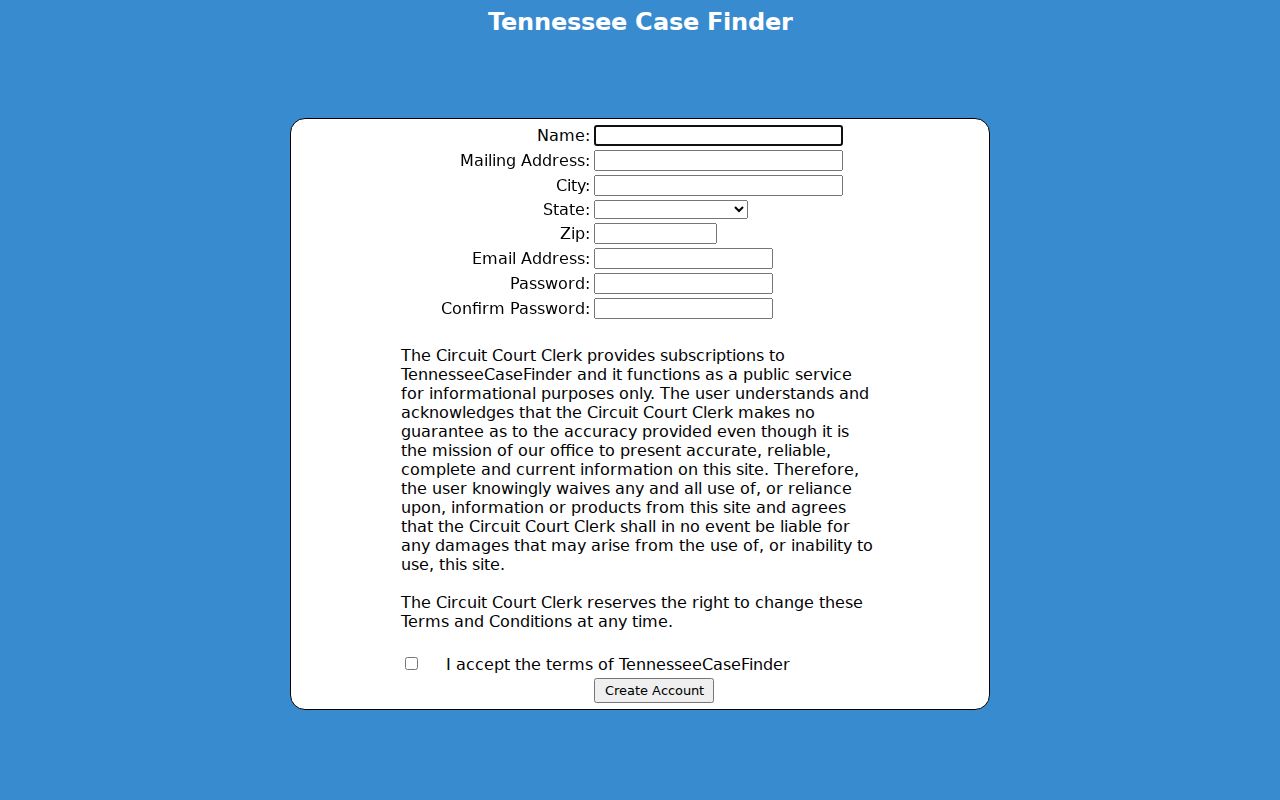
Case Finder runs on accounts. It is not a free Grainger search box. Ask the Circuit Court Clerk whether Grainger is active before you subscribe. Do not assume General Sessions criminal, Juvenile, Chancery, or municipal records are covered.
Two Ways to Search: County and State
County PDFs and state appellate history serve different levels. Use the county route for current local trial settings. Reach for the appellate portal only after a Grainger case climbs to the Court of Appeals, Court of Criminal Appeals, or Supreme Court.
| State appellate search | Grainger County search |
|---|---|
| Appellate public case history | Local trial docket snapshots |
| Keyword plus case number, style, party, or business tabs | Choose and download a court report |
| Generally searchable after September 1, 2006 | Current scope set by each posted PDF |
| Some documents generally available after August 26, 2013 | No document links observed in reports |
Federal cases belong to the Eastern District of Tennessee and PACER, not to either state route. Check them only if the case path fits.
Grainger Appeals Use Another Search
The Tennessee Public Case History interface displays separate search tabs and a required keyword.
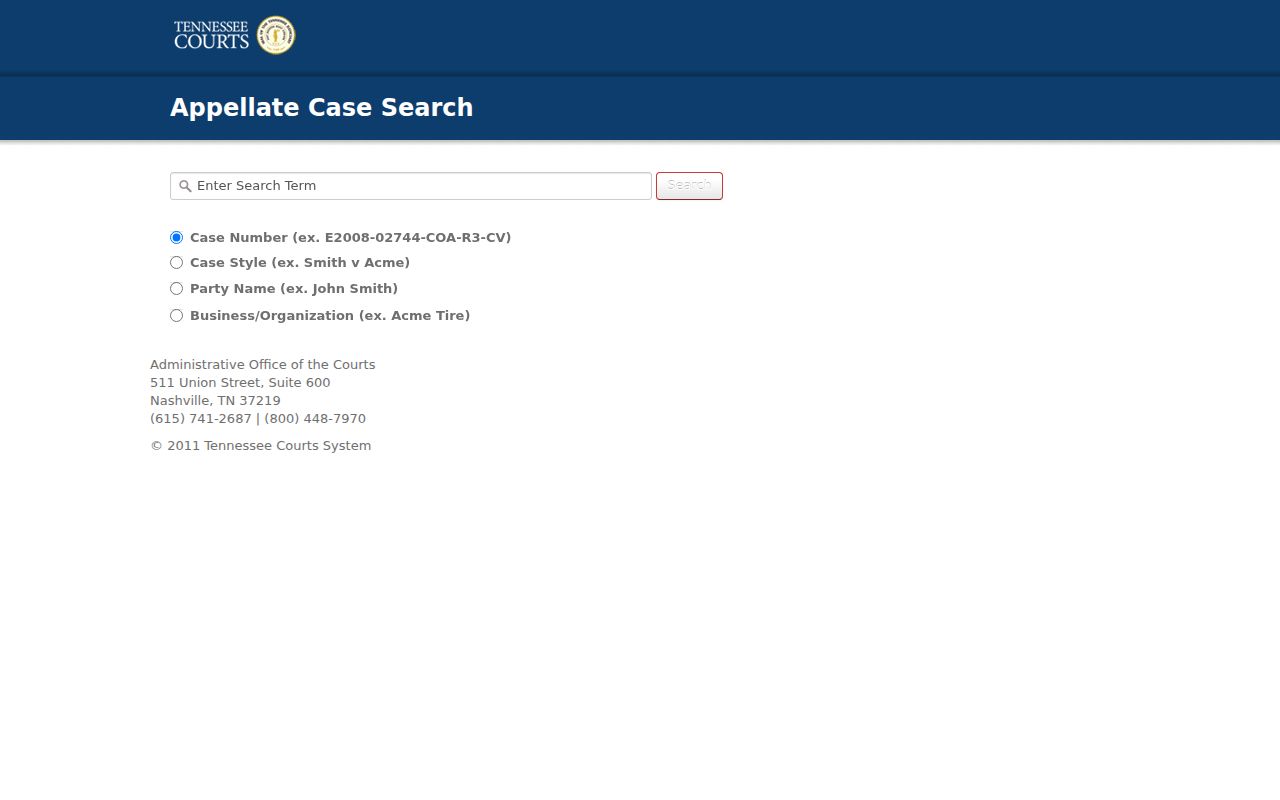
The appellate portal draws a clear boundary. It does not search the ordinary Grainger County trial docket. Search by appellate number, case style, party, or organization. Then verify the originating court inside the appellate record. Official guidance says data is current through the prior business day, so very recent work may not appear right away.
Which Cases Stay Restricted
Tennessee Supreme Court Rule 34 opens most court records to public inspection. The exceptions come from state law, other rules, or a court order. Juvenile, adoption, and medical records may be withheld. Protected addresses, financial data, confidential victim or witness details, grand-jury material, and anything sealed can also stay closed. A case that appears on a public schedule is not automatically open. The label alone grants no right to the file behind it.
When a Grainger County docket search comes up empty, several explanations fit. There may be no case at all, or the matter sits in a different court. An older archive can hide the entry. So can a misspelled name, a restricted file, a reset setting, or an indexing gap. Ask the clerk for the docket sheet or a public order as its own item. If a request is denied, request the cited legal authority. Also ask about redacted portions where the law allows release.
The Tennessee Public Records Act builds no central repository. Each request goes to the office holding the record. Inspection may happen in person, by phone, fax, mail, email, or online where the office permits. Copy requests may need to be in writing. Court-specific rules still control.
Grainger Public Portions Can Differ
One restricted document does not close an entire Grainger County docket. Ask the clerk whether a redacted copy can come out, or whether the public docket sheet and any public final order can be released while protected details stay hidden. Keep any written denial along with the rule it cites. That paper trail shows whether you hit a lawful limit or simply reached the wrong office.
Some calendar categories, like Juvenile, Child Support, Grand Jury, and Probate/Motions, only prove that work is scheduled. They reveal no parties. They grant no access to the papers underneath.
When a Grainger Docket Is Missing
If the download does not answer your docket search, put the request in writing. Give your contact information and the court. Include the case type and the exact case number if you have it. Add a neutral date range and the item you want. Be precise about which piece you seek: the docket sheet, a calendar setting, a final order, a judgment, a certified copy, or an underlying filing. Ask for a cost estimate before any chargeable copies are made.
The clerk takes requests by phone, counter visit, mail, email, or fax, depending on office practice. Keep a record of what you sent, and ask when the request counts as received. State guidance sets a seven-business-day framework. It covers producing records, denying in writing, or giving an estimate of time and cost. That framework is not a production deadline for every request.
A separate tool, the Tennessee Judge Stats service, compiles quarterly statistics reported by clerks across the state.
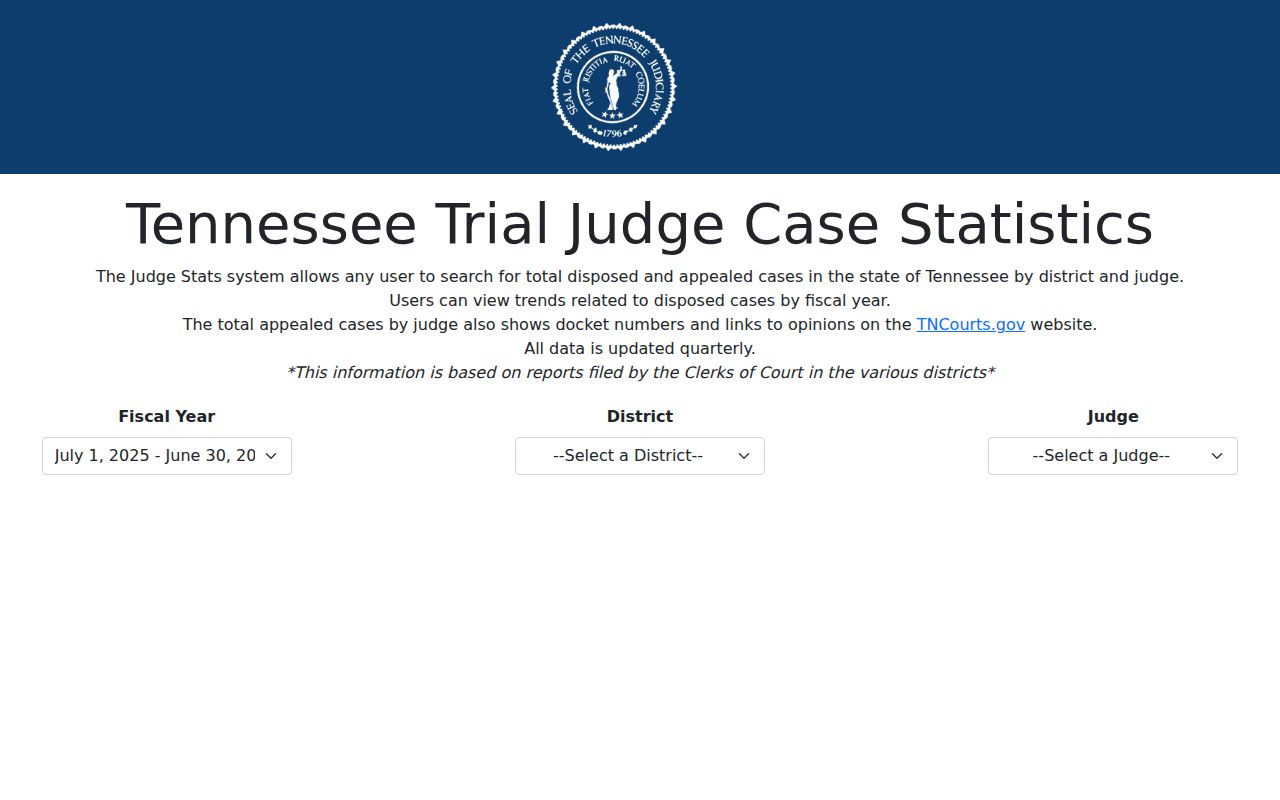
Judge Stats supports statistical research into court workloads. It is not a live case docket, though, and it cannot confirm any hearing or outcome in a Grainger County case.
Grainger Remote Docket Request Channels
A phone call works well for routing a request and confirming a setting. Mail, email, and fax leave a written trail of a detailed request, subject to the clerk's current practices. Visiting the counter in person may allow inspection on the spot. It can also sort out an unclear case number. Whatever channel you pick, name the court. Ask up front whether copies, certification, search time, or delivery will carry a charge.
The clerk publishes no Grainger-specific docket request form and no posted remote-copy rate. Confirm details directly rather than assuming a statewide form or fee applies.
Grainger Payments Are Not Docket Searches
The Circuit Court Clerk site links to an online payment vendor. That route can settle an amount already tied to a known matter. But it is not a public search index and not proof of current case status. Check with the clerk first on identity requirements. Ask about the case number, accepted payment methods, and how the receipt is issued.
The county-linked Court Fee Pay service shows how the payment screen works. It also shows what the screen asks for.
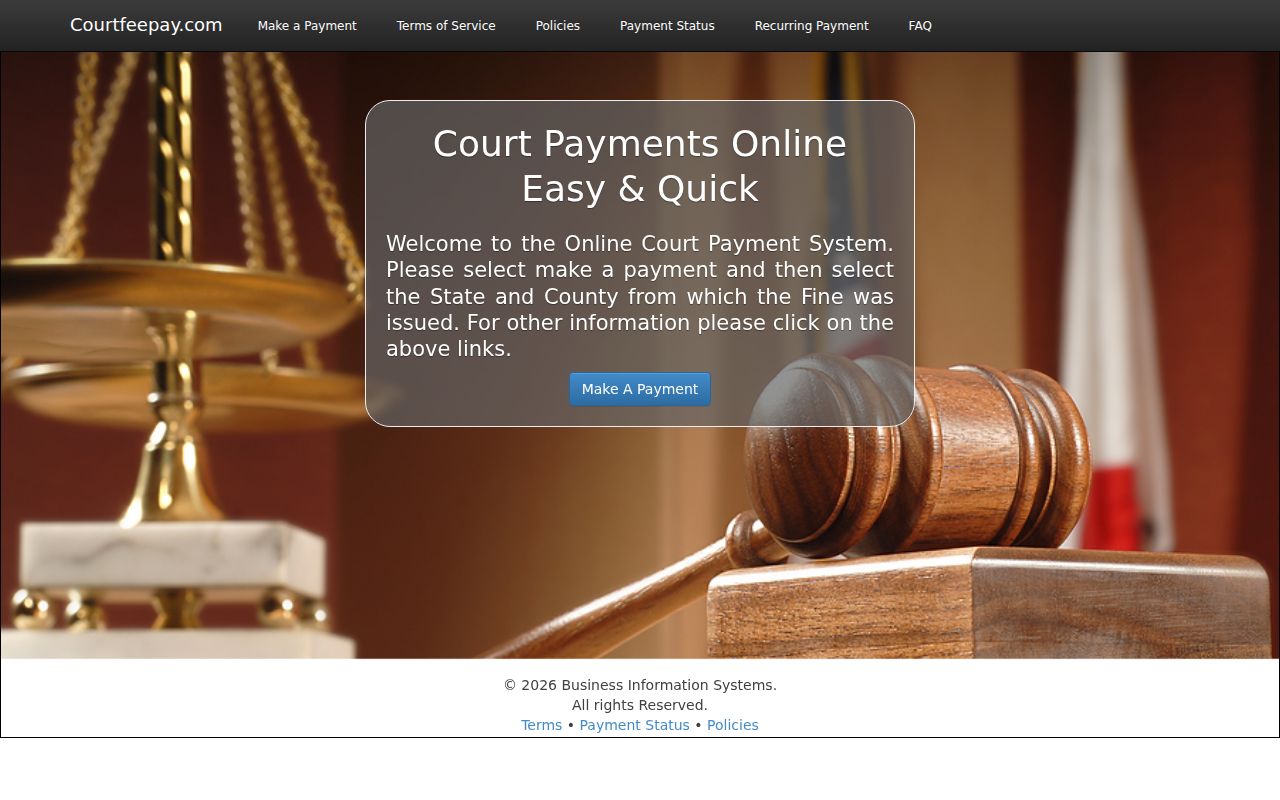
That payment screen draws a clean line between paying a known account and searching the Grainger County court docket.
Note: A receipt proves you paid. Only the originating clerk or the court file can show how that payment affected the case.